How clients opt in to texts
Last updated October 12, 2026
Texts from Styled by Serenity go only to clients who ask for them while booking. This page shows exactly what a client sees.
The steps
- The client opens styledbyserenity.netlify.app, taps Book now, and picks a service, a day and a time.
- Step 4, “Your details,” asks for name and email. Below that is an “Appointment texts (optional)” box on the same form.
- Inside that box is a “Mobile number for texts” field and, right under it, a checkbox that is unchecked by default: “Yes, text this number about my appointment…”. Booking works without it.
- Only if the client enters a mobile number and ticks the box do they get texts, and only to that number. If they tick it without a number, the form asks for one. The choice is saved with the booking.
The booking consent step (screenshot)
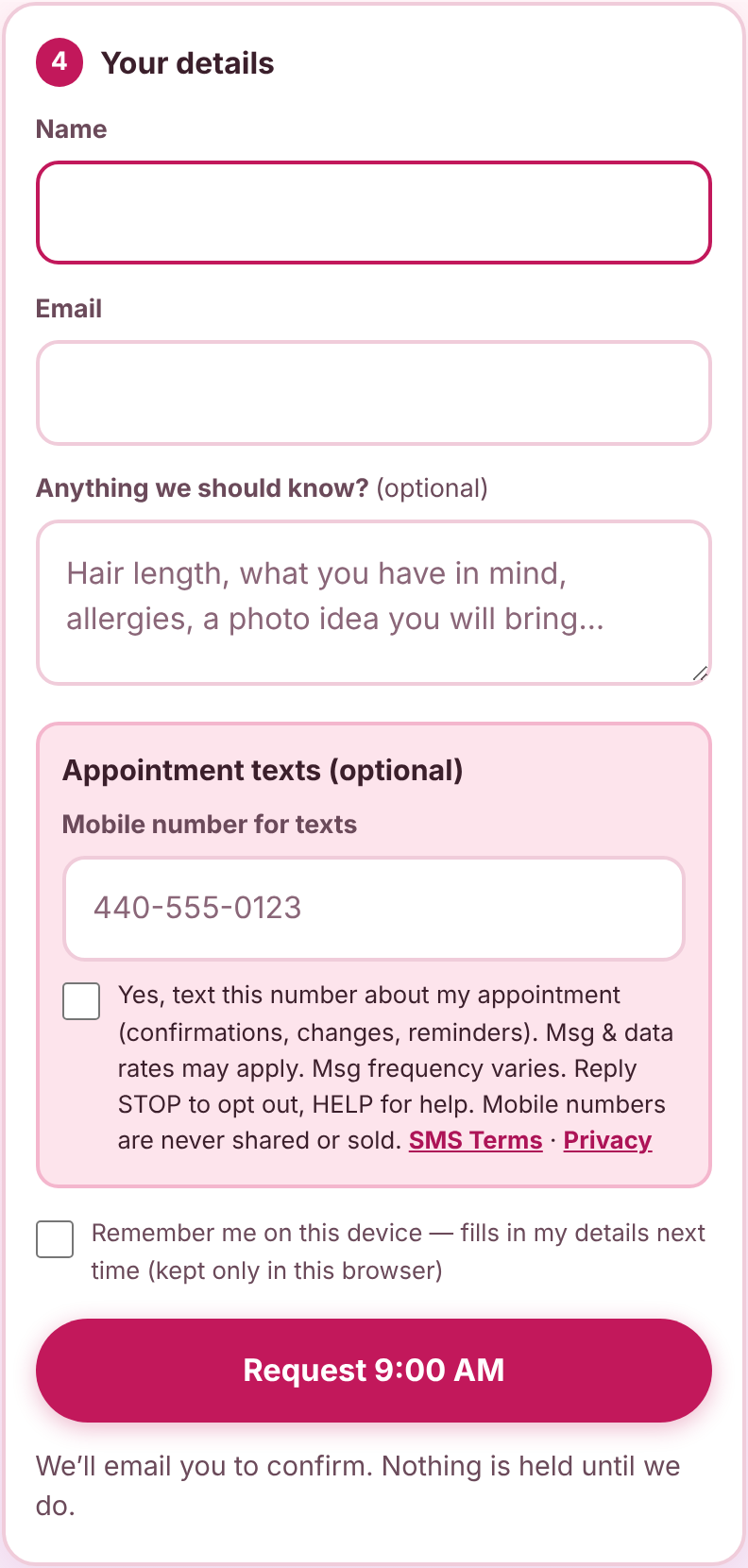
The text opt-in form (same fields and wording as the booking page)
The phone number field and the consent checkbox are on the same form. Consent applies only to the number entered in that field. The checkbox is unchecked by default and is not required to book. (This copy does not submit; clients use it on the booking page through Book now.)
After the client ticks the box
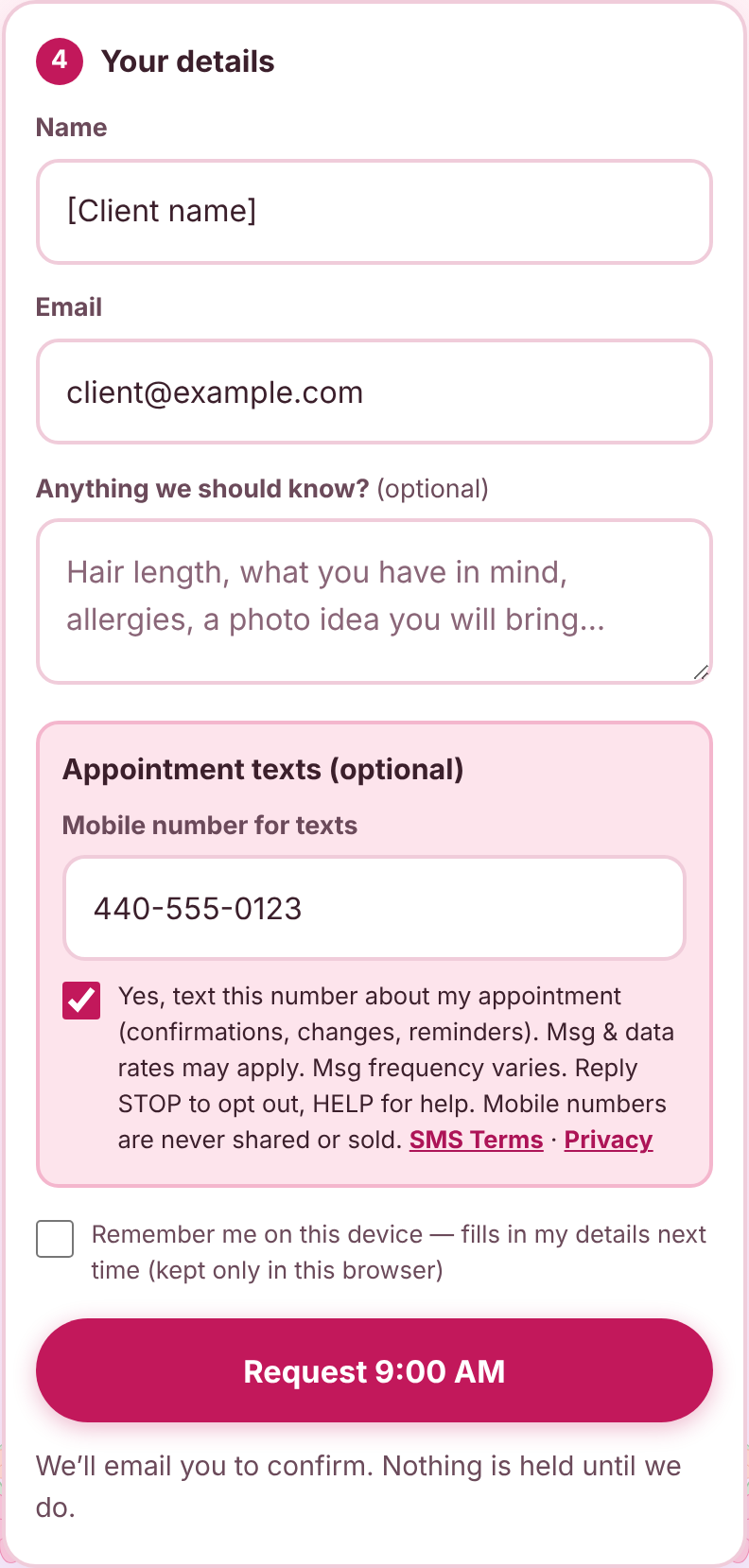
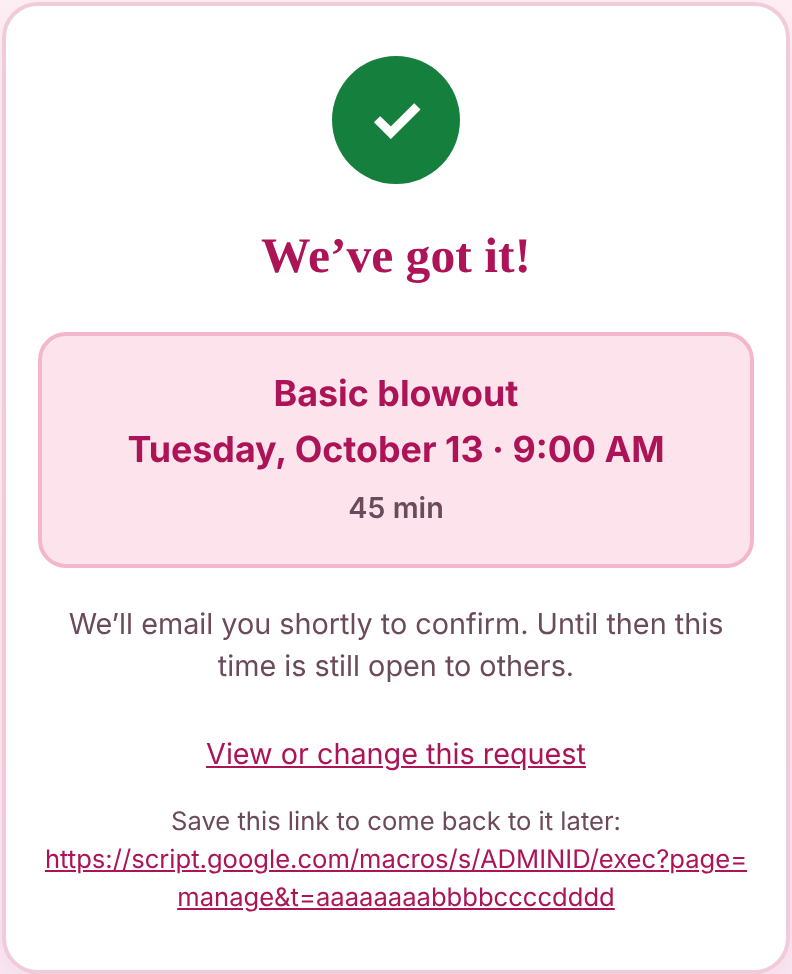
What the client sees after submitting
Opt-in confirmation text
Right after a client opts in, they get this one text:
Styled by Serenity: You're signed up for appointment texts (confirmations, changes, reminders). Msg frequency varies. Msg & data rates may apply. Reply HELP for help, STOP to opt out.
What clients receive
- A confirmation when the appointment is approved
- A notice if the time is changed or cancelled
- A reminder the day before
No marketing messages. Reply STOP to opt out, HELP for help. See the SMS Terms and Privacy Policy.
Book an appointment